
MetaTechX BlogSpot | Electrical & Automation | Steel Industry | Industrial Maintenance
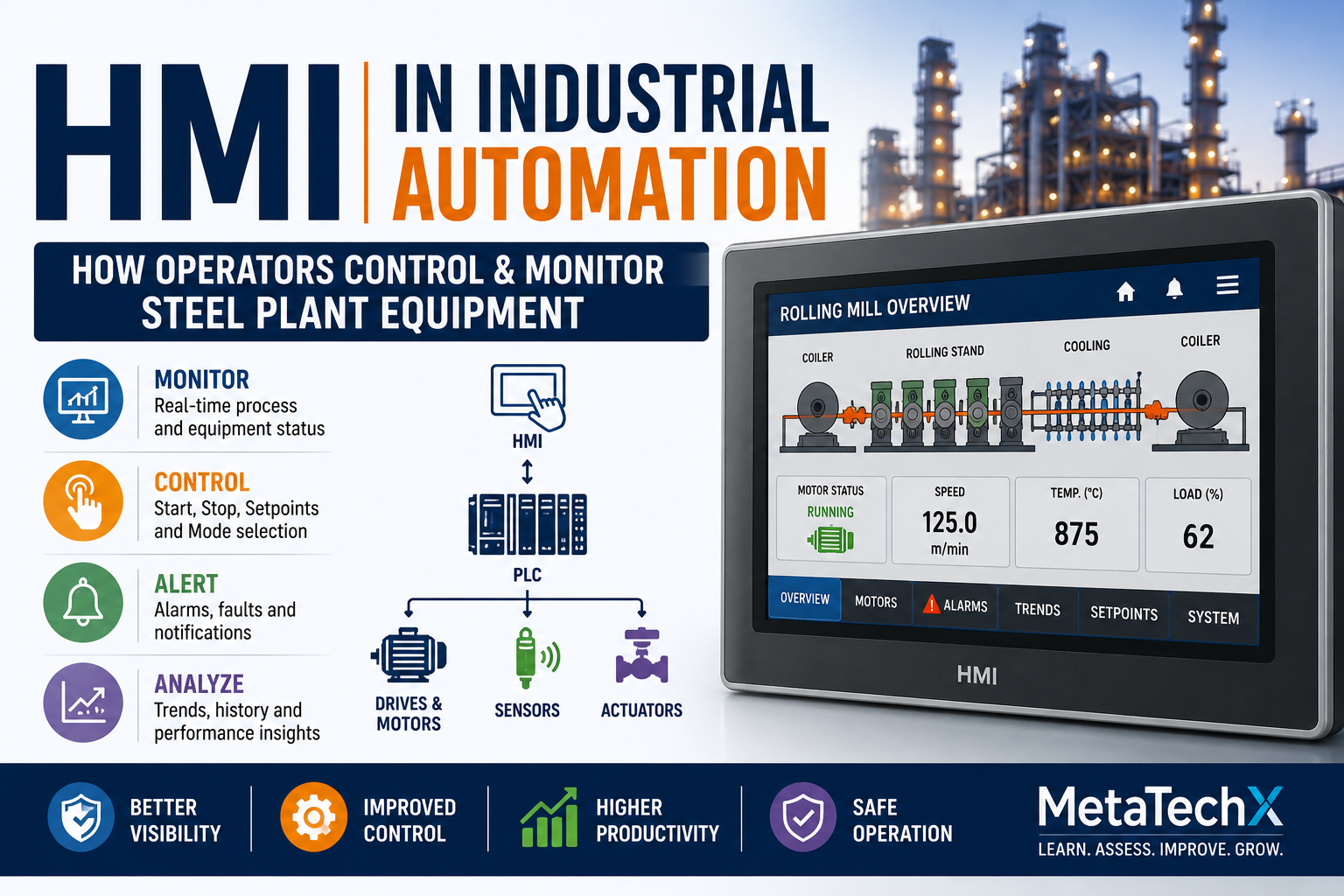
Walk into the control room of a modern steel plant and one of the first things you will notice is the operator screen.
Production parameters are displayed.
Motors show RUN or STOP status.
Valves show OPEN or CLOSED.
Temperatures and pressures appear in real time.
Alarms indicate abnormal conditions.
Operators can select Auto or Manual mode, enter setpoints and issue commands to equipment.
Behind this interface is one of the most important technologies in industrial automation:
HMI — Human Machine Interface
An HMI provides the interface through which operators can monitor and interact with machines and industrial processes.
In modern steel plants, rolling mills, tube mills, continuous casting systems and manufacturing lines, HMI systems provide operators with a visual window into automated equipment.
But an HMI is much more than a screen.
It is part of a larger automation architecture involving:
Sensors → PLC → Control Logic → Outputs → Equipment → Feedback → HMI
Understanding this relationship is important for electrical engineers, automation engineers, instrumentation professionals, maintenance technicians and other technical professionals working with industrial machinery.
What Is an HMI?
HMI stands for:
Human Machine Interface
It is a hardware and software interface that allows people to monitor and interact with industrial machines or processes.
An HMI can display information such as:
Motor status
Valve status
Process values
Temperature
Pressure
Speed
Production information
Alarms
Faults
Trends
Setpoints
Equipment sequences
It can also allow authorized operators to issue commands.
For example:
Operator presses START
↓
HMI sends command
↓
PLC receives command
↓
PLC checks interlocks
↓
PLC activates output
↓
Equipment operates
The HMI provides the interface.
The PLC performs the control logic.
HMI vs PLC
This is one of the most important concepts for beginners.
PLC
The PLC is responsible for control logic.
HMI
The HMI provides the human interface.
Consider a motor-start command.
The operator selects:
START
on the HMI.
The HMI sends the command to the PLC.
The PLC checks whether all required conditions are satisfied.
If they are:
PLC Output = ON
The motor or drive receives the appropriate command.
Therefore:
The HMI does not normally replace the PLC.
The two systems work together.
How HMI and PLC Communicate
A simplified architecture is:
Operator
↓
HMI
↓
Industrial Network
↓
PLC
↓
I/O
↓
Equipment
Feedback travels in the opposite direction:
Equipment
↓
Sensors
↓
PLC
↓
Industrial Network
↓
HMI
↓
Operator
This two-way communication allows operators to see what is happening and, where authorized, interact with the process.
What Information Does an HMI Display?
A well-designed HMI can provide a large amount of information without requiring the operator to physically inspect every machine.
Typical information includes:
Equipment Status
Running
Stopped
Ready
Faulted
Manual
Automatic
Process Parameters
Temperature
Pressure
Speed
Flow
Level
Current
Position
Alarms
Equipment fault
High temperature
Low pressure
Drive fault
Sensor failure
Communication failure
Production Information
Production rate
Material status
Batch information
Length
Quantity
The exact information depends on the process and plant architecture.
HMI Screens in a Steel Plant
A modern steel plant may have many HMI screens.
For example:
Main Overview
Provides an overall view of the process.
Equipment Screen
Shows individual machines and their status.
Motor Screen
Displays motor-related information.
Hydraulic Screen
Shows hydraulic pressures, valves and pump status.
Alarm Screen
Shows active and historical alarms.
Trend Screen
Displays process values over time.
Manual Control Screen
Allows authorized operators to operate equipment manually.
Maintenance/Diagnostic Screen
Provides additional technical information for authorized personnel.
What Are HMI Tags?
An HMI typically communicates with variables or tags representing process information.
For example:
Motor_101_Run
could represent the running status of a motor.
Motor_101_Fault
could represent a motor fault.
Furnace_Temperature
could represent a temperature value.
Pump_101_Start
could represent a start command.
The HMI uses these tags to display information or send commands.
A tag may ultimately correspond to a PLC variable, memory location or other data source.
HMI Commands
An HMI may provide authorized controls such as:
Start
Stop
Reset
Open
Close
Auto
Manual
Speed reference
Temperature setpoint
Pressure setpoint
However, an HMI command should not automatically mean that equipment will operate.
The PLC should still evaluate the required conditions.
For example:
HMI Start Command = TRUE
but:
Drive Ready = FALSE
Therefore:
Motor Start = NOT PERMITTED
This is why understanding PLC logic is essential for HMI troubleshooting.
HMI Alarms
Alarm management is one of the most important HMI functions.
An alarm tells the operator that a defined condition requires attention.
Examples include:
Motor overload
Drive fault
High temperature
Low hydraulic pressure
Low lubrication pressure
Sensor failure
Communication failure
Emergency stop
Equipment interlock
But operators should understand the difference between an alarm and a root cause.
For example:
HMI displays:
“Motor Not Running.”
The actual cause could be:
Drive Fault
or:
Interlock Active
or:
PLC Output OFF
or:
Sensor Feedback Missing
The HMI may show the symptom rather than the complete root cause.
Alarm Prioritization
Not every alarm has the same importance.
A good industrial alarm system should help operators identify which conditions require immediate attention.
For example:
Critical
Potential safety or major equipment condition.
High
Important process or equipment problem.
Medium
Condition requiring attention.
Low
Information or maintenance-related notification.
The exact alarm philosophy varies between plants and control-system designs.
The key principle is:
The operator should be able to identify what requires action and why.
HMI Trends: Seeing Problems Before Failure
One powerful HMI feature is trend visualization.
Instead of looking at one temperature value, an operator can observe how temperature changes over time.
For example:
Temperature
100°C → 102°C → 105°C → 110°C → 118°C
The trend may reveal an abnormal condition that a single reading would not make obvious.
Trends can be useful for monitoring:
Temperature
Pressure
Speed
Motor current
Flow
Level
Hydraulic pressure
Production parameters
This is why modern technical professionals increasingly need data interpretation skills.
Setpoints and Process Control
HMI systems can allow authorized users to enter or modify process setpoints.
Examples may include:
Speed reference
Temperature target
Pressure target
Timing
Position
Production parameters
However, setpoints should be controlled according to plant procedures and appropriate authorization.
An incorrect setpoint can affect:
Product quality
Equipment performance
Energy consumption
Production stability
Safety
Therefore, HMI operation requires process knowledge—not just screen knowledge.
Manual vs Automatic Mode
Industrial equipment frequently provides:
Manual Mode
The operator or maintenance team controls equipment actions individually according to approved procedures.
Automatic Mode
The PLC executes a predefined sequence based on inputs, logic and conditions.
For example:
Manual
Operator commands:
Valve OPEN
Automatic
PLC sequence determines when:
Valve OPEN
and when:
Valve CLOSE
Understanding the difference between these modes is essential during commissioning and troubleshooting.
HMI and Interlocks
An HMI may allow the operator to press:
START
but the PLC may reject the command because an interlock is active.
For example:
Start Command
Emergency Stop Healthy
Hydraulic Pressure OK
Lubrication OK
Drive Ready
Safety Conditions OK
=
Machine Start Permitted
If any condition is FALSE:
Machine Does Not Start
The HMI should ideally provide enough information to help the operator understand which condition is preventing operation.
HMI Communication Problems
Sometimes the machine is operating correctly, but the HMI displays incorrect or missing information.
Possible causes include:
Network communication failure
PLC communication failure
HMI configuration problem
Incorrect tag mapping
PLC unavailable
Switch or network-device problem
Power supply failure
For example:
Actual Machine
Motor running.
HMI
Motor status = STOP.
This does not necessarily mean the motor is stopped.
The issue may be the communication or status-tag path.
HMI Troubleshooting: A Systematic Approach
Suppose an operator reports:
“The HMI button is not working.”
Do not immediately replace the HMI.
Follow the signal.
Step 1 — Is the HMI powered?
Check the basic power supply.
Step 2 — Is the HMI operating?
Check for system faults.
Step 3 — Is communication with the PLC available?
Check communication status.
Step 4 — Is the correct tag configured?
Verify the command/tag mapping.
Step 5 — Is the PLC receiving the command?
Check the corresponding PLC variable or input.
Step 6 — Is the PLC logic accepting the command?
Check interlocks and permissives.
Step 7 — Is the PLC producing the expected output?
Check the control logic.
Step 8 — Is the equipment responding?
Trace the command toward the field device.
The complete chain becomes:
HMI → COMMUNICATION → PLC → LOGIC → OUTPUT → DEVICE → MACHINE
Example: HMI Start Button Does Nothing
Consider a rolling mill auxiliary pump.
The operator presses:
PUMP START
Nothing happens.
A poor troubleshooting approach would be:
“The HMI is faulty.”
A better approach is:
HMI Start Command
↓
Does the PLC receive it?
YES
↓
Does the PLC permit the start?
NO
↓
Which permissive is FALSE?
↓
Low Lubrication Level
↓
Check the actual lubrication system.
This demonstrates an important principle:
An HMI button not producing an action does not automatically mean the HMI is faulty.
HMI and SCADA: What's the Difference?
HMI and SCADA are related but serve different purposes.
HMI
Typically provides an operator interface for a particular machine or process.
SCADA
Typically provides supervisory monitoring and data acquisition across a broader system.
A simplified arrangement may be:
Machine
↓
PLC
↓
HMI
and at a broader supervisory level:
Multiple PLCs
↓
SCADA
↓
Plant Monitoring
The actual architecture varies by plant.
Our next article will examine SCADA in more detail.
HMI Design Matters
An HMI should not simply contain as many graphics and values as possible.
Good HMI design should help operators quickly answer:
What is happening?
What has changed?
What requires attention?
Why did the machine stop?
What action is required?
Poorly designed screens can overwhelm operators with unnecessary information.
Good design prioritizes the information that matters.
HMI and Human Error
Automation does not eliminate human error.
Poor interface design can actually increase the possibility of operator mistakes.
Examples include:
Confusing buttons
Poor alarm design
Unclear status indication
Incorrect units
Hidden interlocks
Poor navigation
Inadequate confirmation for critical actions
A well-designed HMI should help operators understand the process rather than make it more confusing.
Why HMI Knowledge Matters for Maintenance Engineers
Maintenance professionals frequently use HMI information during troubleshooting.
The HMI can provide clues such as:
Which machine stopped?
Which alarm appeared first?
Which interlock is active?
What was the process value?
Did the drive trip?
Is the equipment in Auto or Manual?
This information can dramatically reduce troubleshooting time.
But maintenance personnel should still verify the physical system.
The HMI is evidence—not always the final diagnosis.
Why HMI Knowledge Matters for Freshers
Fresh electrical, automation and mechanical professionals should understand:
HMI architecture
PLC communication
Tags
Commands
Alarms
Trends
Setpoints
Manual/Auto operation
Interlocks
Diagnostics
You do not necessarily need to become an HMI developer.
But you should know how to read and troubleshoot an HMI-based industrial system.
HMI Skills for Modern Industrial Professionals
A useful HMI skill set includes:
Basic
Navigation
Status indication
Alarm interpretation
Manual/Auto modes
Intermediate
Tags
PLC communication
Trends
Setpoints
Diagnostic screens
Advanced
HMI configuration
Screen development
Alarm management
Data logging
User management
Communication troubleshooting
The exact skill requirements depend on the job.
The HMI–PLC–Machine Relationship
Remember this simple model:
HMI = Interface
PLC = Control
Machine = Physical Action
Sensors = Feedback
Together:
Operator
↓
HMI
↓
PLC
↓
Output
↓
Machine
↓
Sensor
↓
PLC
↓
HMI
This creates a continuous human-machine-control-feedback loop.
HMI in Rolling Mills and Steel Plants
Steel plants often require operators to monitor many parameters simultaneously.
In a rolling mill, HMI screens may provide information related to:
Motor status
Roll speed
Drive status
Material position
Hydraulic pressure
Cooling
Temperature
Interlocks
Alarms
Production parameters
The operator therefore needs both interface knowledge and process knowledge.
Knowing what a number means is more important than simply knowing where it appears on the screen.
The Future of HMI
HMI technology is evolving along with industrial automation.
Future systems are increasingly likely to integrate:
More advanced visualization
Mobile interfaces
Remote monitoring
Data analytics
Industrial IoT
Predictive maintenance information
AI-assisted diagnostics
Better alarm management
But the fundamental principle remains:
People need clear information to make good decisions.
HMI Is Part of a Larger Automation System
It is important not to study HMI in isolation.
The complete automation chain may look like:
Sensors
↓
PLC
↓
HMI
↓
SCADA
↓
VFD / Drives
↓
Motors
↓
Mechanical Equipment
↓
Feedback
Understanding this complete architecture makes troubleshooting significantly easier.
What's Next?
We have already explored:
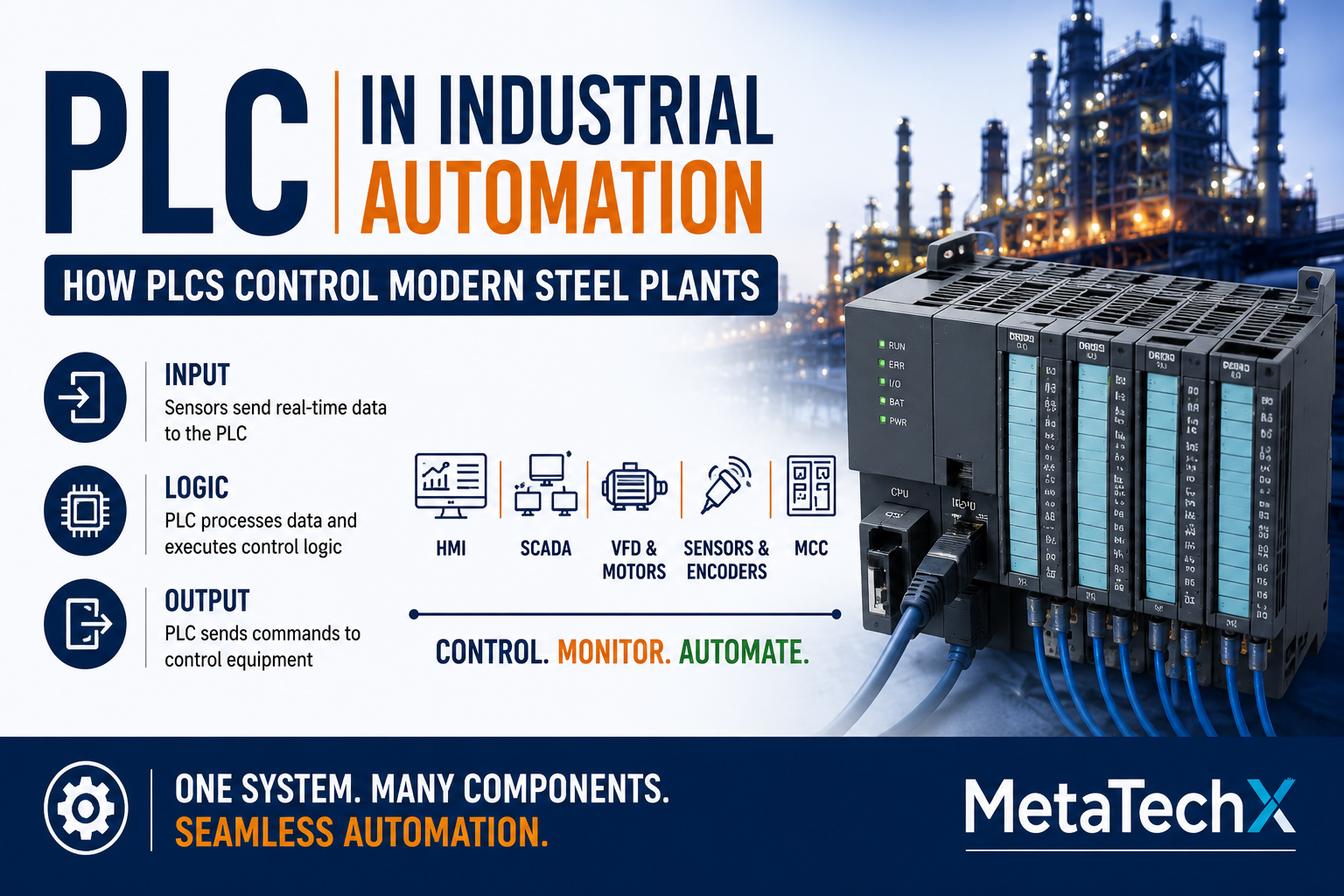
PLC
How the control system receives inputs, executes logic and controls outputs.
Now:
HMI
How people interact with the control system.
Next:
SCADA in Steel Plants
We will examine how large industrial facilities monitor multiple machines, processes and production systems from supervisory control environments.
The series continues:
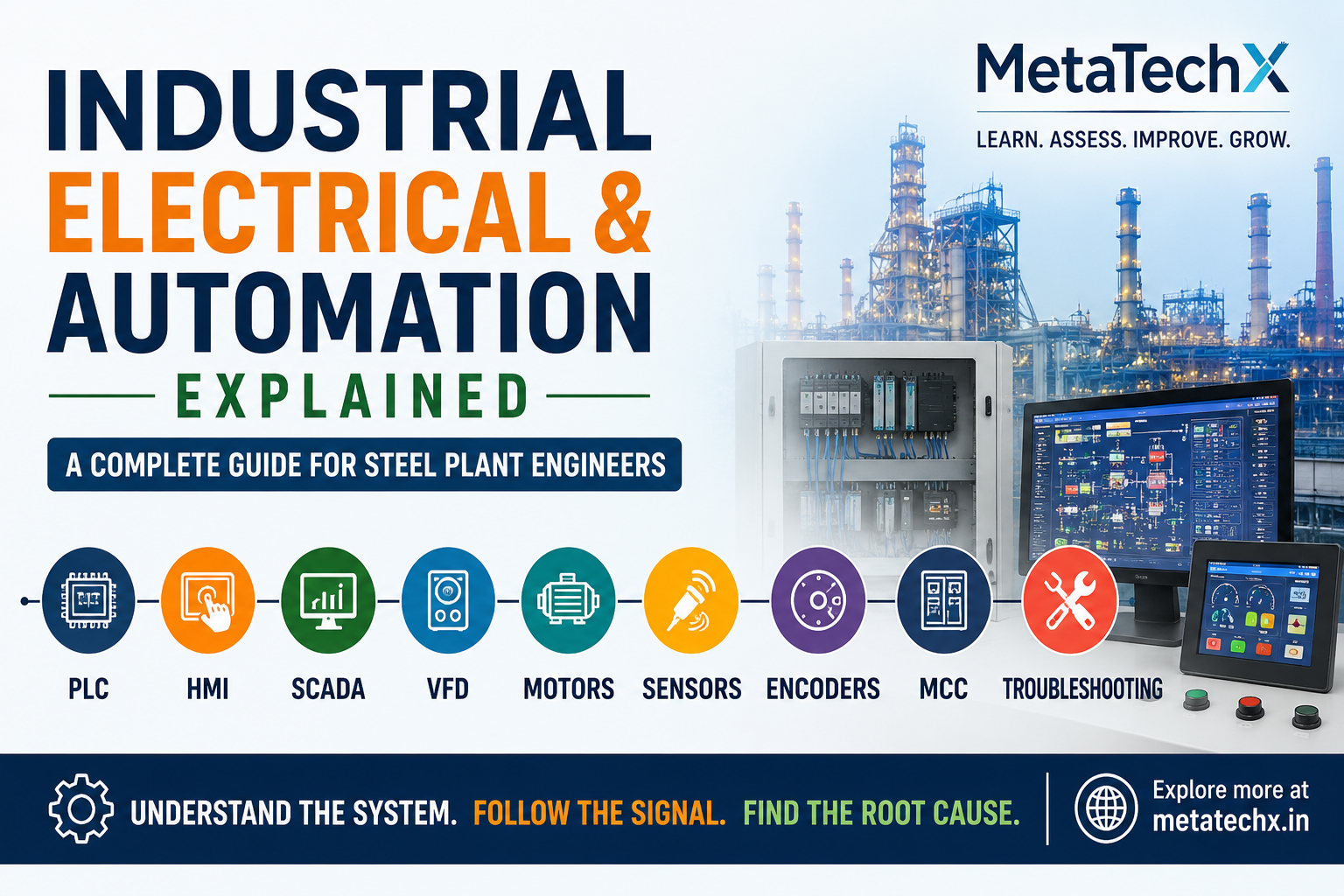
PLC → HMI → SCADA → VFD → Motors → Sensors → Encoders → MCC → Troubleshooting
Assess Your Electrical & Automation Knowledge
Understanding HMI systems is an important part of modern industrial automation.
MetaTechX GetCertified provides professional skills assessments covering areas such as:
Electrical & Automation
Mill Equipment & Maintenance
Operations & Production
Steel & Tube Industries
Assessment can help technical professionals benchmark their knowledge and identify areas where further learning may be useful.
Certification should complement education, practical experience, technical interviews and hands-on evaluation.
Learn. Assess. Improve. Demonstrate.
Explore MetaTechX GetCertified
Final Takeaway
An HMI is more than a touchscreen.
It is the interface between people and automated industrial systems.
A well-designed HMI allows operators to:
Monitor
Control
Diagnose
Respond
Understand
The HMI displays what the automation system knows.
The PLC determines what the machine should do.
Sensors provide feedback.
Drives and actuators perform the physical action.
And the operator uses all of this information to make decisions.
For modern steel plant engineers and technicians, understanding this relationship is increasingly important.
HMI connects the human to the machine.
Understand the screen. Understand the signal. Understand the process.
MetaTechX BlogSpot
Industry • Technology • Skills • Careers
Comments 0
Be the first to share your thoughts.
Leave a comment
Your comment will appear after a quick moderation check.